What a VPN Actually Does (And Doesn't Protect You From)
A VPN encrypts your internet traffic and hides your IP address. Here's exactly how — and what it does and doesn't protect you from — explained without jargon.
Alex Kovacs
Security & Technology Editor
June 11, 2026
Updated June 11, 2026 · 6 min read
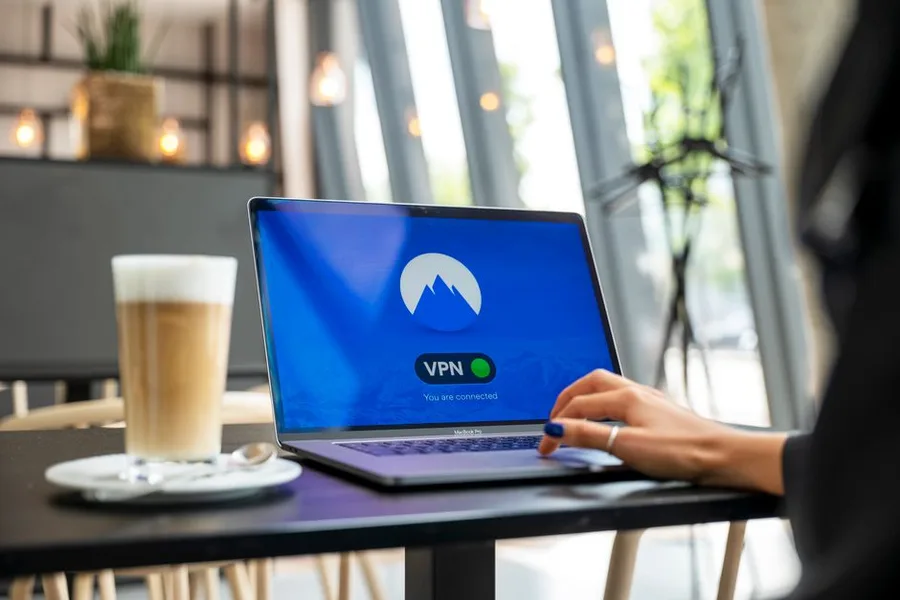
Bottom line: A VPN creates an encrypted tunnel between your device and a server in another location. Your ISP sees only encrypted traffic to a VPN server. Websites see the VPN server’s IP address instead of yours. It takes under 2 minutes to set up and costs $4–5/month.
The internet was not designed with privacy in mind. When you visit a website without a VPN, at least three parties see your traffic: your device, your internet provider, and the destination website. A VPN changes this.
Here’s how it works, step by step.
Without a VPN: Your ISP Sees Every Site You Visit — Here’s the Exact Data
When you type a URL into your browser:
- Your device sends a request to your ISP’s servers
- Your ISP routes that request to the destination website
- The website sends content back through your ISP to your device
- Your ISP logs the domain, timing, and volume of every connection
At every step, your ISP sees what you’re doing. The destination website sees your real IP address. Anyone monitoring the same Wi-Fi network (at a coffee shop, airport, or hotel) can potentially intercept unencrypted traffic.
With a VPN: What Changes
When you connect through a VPN:
- Your device encrypts all traffic before sending it anywhere
- That encrypted traffic goes to a VPN server (your ISP sees only an encrypted connection to the VPN — nothing else)
- The VPN server decrypts the traffic and forwards your request to the website
- The website sees the VPN server’s IP address — not yours
- The response travels back to the VPN server, gets re-encrypted, and is delivered to you
Your ISP’s view: encrypted data going to a VPN server. The destination’s view: a connection from the VPN server’s IP address.
What a VPN Actually Does: AES-256 Encryption, IP Replacement, and ISP Blocking
1. Encryption Your traffic is converted to scrambled data using AES-256 — computationally impossible to brute-force with current technology. Anyone intercepting your traffic sees random noise.
2. IP masking Websites see the VPN server’s IP, not yours. This hides your approximate location, prevents cross-site tracking by IP, and lets you access geo-restricted content.
Protect your connection
Try ZoogVPN — Under $5/Month, 150+ Countries
See plans and pricing →No commitment — cancel anytime
3. ISP blocking Your ISP cannot see which sites you visit, what you search, what content you consume, or how long you spend on any site. They see one thing: encrypted traffic to a VPN server.
What a VPN Does NOT Protect You From
VPNs are often overhyped. Honest limitations:
- Account activity: If you’re logged into Google, Facebook, or any other account, those platforms see your activity regardless of VPN use. A VPN hides your IP, not your identity.
- Malware: A VPN doesn’t block viruses, ransomware, or phishing attacks. Use separate antivirus software.
- Browser fingerprinting: Advanced tracking can identify you by your browser’s unique combination of settings, fonts, and plugins — regardless of IP. Tools like Firefox with uBlock Origin reduce this.
- The VPN provider itself: Your traffic goes through the VPN server. A VPN provider with poor security or a logging policy that cooperates with law enforcement can expose your activity. Choose audited no-logs providers.
How does a VPN work in plain language?
A VPN creates an encrypted tunnel between your device and a server in another location. Your ISP sees only scrambled data going to that server — not your destination or activity. Websites see the VPN server’s IP, not yours. Setup takes under 2 minutes; cost is $4–5/month.
How to Choose a VPN That Actually Protects You
The two questions that matter:
Does the provider have a verified no-logs policy? A “no-logs” claim is only as good as its verification. Mullvad has undergone independent third-party audits confirming no identifying data is stored. ZoogVPN maintains a no-logs policy without storing browsing history, connection timestamps, or user IPs.
Where is the VPN company incorporated? VPN providers based in 14 Eyes surveillance alliance countries (US, UK, Canada, Australia, and others) can be legally compelled to hand over user data. Mullvad (Sweden) and ZoogVPN (Cyprus) operate outside the most aggressive surveillance jurisdictions.
Our best VPN comparison covers five tested options across price, speed, privacy policy, and jurisdiction — with honest assessments of who each one is right for. For the specific legal context of why you need a VPN — including what US ISPs can legally do with your browsing data since 2017 — see your internet provider sees everything you do online.
What Readers Are Saying
3 commentsSwitched from paying $12/month for a VPN that slowed my connection by 40% to one that actually performs. Night and day difference for streaming.
203 people found this helpful
Needed something for the whole family. The 6-device plan covers all our phones and laptops. Finally stopped worrying about public WiFi.
167 people found this helpful
My ISP was definitely throttling me. Running the same speed tests after the VPN and my Netflix quality went from buffering SD to smooth 4K.
145 people found this helpful
Based on this article
Your Internet Provider Sees Everything You Do Online
VPN encryption hides your browsing from your ISP, advertiser trackers, and anyone on your network — for less than Netflix
Top pick: ZoogVPN · Encrypted · Works in 150+ countries
Frequently Asked Questions
What does VPN stand for?
VPN stands for Virtual Private Network. The 'virtual' refers to the fact that it creates a private, encrypted tunnel through the public internet — rather than requiring a physically separate network. Originally developed for corporate use (to let remote employees securely access company networks), consumer VPNs now use the same technology for personal privacy.
Does a VPN make me completely anonymous online?
No. A VPN hides your IP address and encrypts your traffic from your ISP — but your activity on websites you're logged into is still visible to those sites. Google knows what you search if you're signed into Google. Facebook knows your activity if you're signed in. A VPN prevents your ISP and network observers from seeing your traffic, not the websites you actively use.
What is an IP address and why does hiding it matter?
Your IP address is a number assigned to your internet connection by your ISP — it functions like a return address on a letter. Websites see your IP when you connect. It reveals your approximate location (city-level), your ISP, and can be used to track activity across sites. A VPN replaces your IP with the VPN server's IP, so websites see the server's location and identity instead of yours.
What is encryption in the context of a VPN?
Encryption converts your internet traffic into scrambled data that can only be read with the correct decryption key. Consumer VPNs use AES-256 encryption — the same standard used by the US military and financial institutions. Without the key, intercepted traffic looks like random noise. Your ISP, the router at a coffee shop, and anyone monitoring the network between you and a website cannot read encrypted traffic.
How does a VPN let me watch content from other countries?
Streaming services show different content libraries based on your IP address's country. Netflix US has a different catalog than Netflix UK or Netflix Japan. When you connect to a VPN server in another country, the streaming site sees the server's IP and shows you that country's content. This is one of the most common consumer VPN use cases.
Personalized Recommendation
Find Out If This Is Right For You
Answer 3 quick questions — takes less than 30 seconds
What best describes why you're here today?
Based on your answers
Try ZoogVPN appears to be a strong match
Takes under 60 seconds — no obligation to proceed.
Try ZoogVPN — Under $5/Month, 150+ Countries →Verto may earn a commission — it never changes our verdict. No obligation to purchase.
Today's Top Pick
Try ZoogVPN — Under $5/Month, 150+ Countries
Available now — see if it's right for your situation.
Try ZoogVPN — Under $5/Month, 150+ CountriesVerto may earn a commission — it never changes our verdict. Checking availability doesn't commit you to anything.
Related Solution Guides
Your Internet Provider Sees Everything You Do Online — Here's How to Stop That in 60 Seconds
VPN encryption hides your browsing from your ISP, advertiser trackers, and anyone on your network — for less than Netflix
Your Personal Information Is Already Compromised — Here's How to Stop the Damage
Dark web monitoring, stolen data alerts, and identity restoration — all-in-one protection that pays if something goes wrong
Your Streaming Library Is 40% Smaller Than It Should Be — A VPN Fixes That
Switch your Netflix, Disney+, or Amazon Prime region and access titles that aren't available in the US — without changing your subscription
More in Tech
eSIM vs. SIM vs. Roaming: The 2026 Cost Breakdown
International data options in 2026: your carrier's roaming plan, a local SIM, or an eSIM from a provider like Airalo, Holafly, or aloSIM. After 4 trips using all three, here's the cost comparison, coverage quality breakdown, and the situations where each option makes the most sense.
We Tested 12 VPNs — Only 5 Passed. Here's What Actually Works
Speed tests, kill switch verification, DNS leak tests, and privacy policy audits across 12 VPNs. Five passed. Here's which one is right for your situation.
The 1 Privacy Threat That Matters Most in 2026
Most people's digital privacy is exposed in three places simultaneously: their ISP sells their browsing data, every password is a phishing target, and their personal information is for sale on data broker sites. Here's the complete 2026 guide — what each threat is, which tools address it, and the order to implement them.